How to Render Multiple Elements in React

Hello there 👋
Thanks for stopping by and welcome to my blog.
My name is Joseph Maina, a full-stack web developer and technical writer. I will share with you tips and tricks on software development and writing technical documents.
I will help you get from zero to (almost) hero in developing customer-focused solutions. And writing documents that will help your customers consume your products. My main tech stack is TypeScript, React, Next.js, Tailwind CSS, and MongoDB.
What projects are you working on? If you need help with any part of your project, please reach out.
I recently encountered a situation where I needed to render a given number of elements in React.
Starting with an array of items
Usually, this begins with an array that is used to create the list of elements to render. You could map() the array to the elements or filter the items in the array before rendering the list.
For instance, to render a list of the big five animals, start with an array bigFive:
const bigFive = ['elephant', 'rhino', 'buffalo', 'lion', 'leopard']
And create a BigFive component:
function BigFive (bigFive: string[]) {
  return (
    <ul>
      {
        bigFive.map((animal) => {
          return (
            <li key={animal}>{animal}</li>
          )
        })
      }
    </ul>
  )
}
This function component takes a bigFive animals prop and render an unordered list of the animals. This function maps through each animal in the array returning an li element in a ul. (Note that each list item requires a unique key so that React is able to determine when the list changes and needs to be updated).
That is pretty straightforward.
But how would you do it if you want to render n elements 🤔?
Render multiple elements given the count
Think about it for a minute. How would you render 9 buttons like in this image?
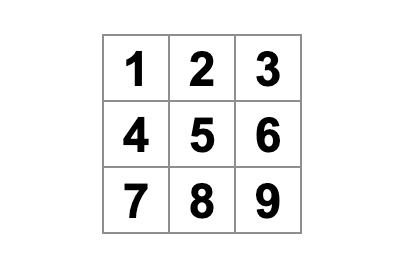
One of the options you have is to make an array of 9 items and then render in the usual way using the map() method.
But how would you make that array of 9 elements? Well, it turns out that in Javascript, you can make an array of elements by calling the Array() constructor with a parameter n.
const itemsArray = Array(n)
itemsArray is an array of n elements. However, the elements in the array are empty slots. We need to fill the empty slots to use this array to render a list of elements in React. We can use the spread operator for that.
const items = [...itemsArray]
In this case, items is an array of n elements that are undefined initially.
Therefore, to render a number of components, you follow these steps:
Create an array of size
nby calling theArray()methodMap through the array and render a list of those elements
Let's look at how to render the example button array above.
First, create a button element to render.
const Button = () => {
  return (
    <button>X</button>
  )
}
Then render the array of buttons in React.
const ButtonArray = (n) => {
  const nButtons = [...Array(n)]
  return (
    <div>
      {nButtons.map((_, i) => <Button key={i} />)}
    </div>
  )
}
nButtons is an array of n elements. The map() method loops through the array and returns the required number of elements.
So to render our sample array of 9 buttons, you pass 9 to ButtonArray component like below.
const App = () => {
  return (
    <ButtonArray count={9} />
  )
}
So there you have it.
Summary
In this article, we reviewed how to render a list of elements in React with the map() method. Then we applied that knowledge together with the Array() method to render a known number of elements.
Happy coding 👋